In this article, we explain how to set your Maschine hardware to control an external MIDI device (e.g. hardware synthesizer or sound module) and also software instruments on your computer.
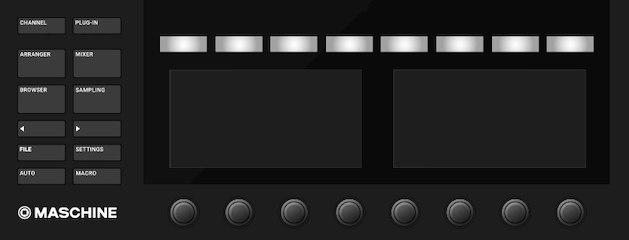
For this setup, you'll need a 5-pin MIDI cable, a direct USB connection to your computer, and a third-party MIDI routing app.
This feature is available on all Maschine controllers except Maschine Mikro MK1 / MK2 / MK3 and Maschine Jam since these devices are not equipped with 5-Pin MIDI ports.
Important: This article links to third-party tools which are not related to Native Instruments. These have been tested but we can not fully guarantee their functionality on all computers.
TABLE OF CONTENTS
macOS
Follow these steps to configure the Maschine controller with Midi Pipe.
- Open this page and download the latest version of "Midi Pipe". (If you are on an older macOS, download the matching version.)
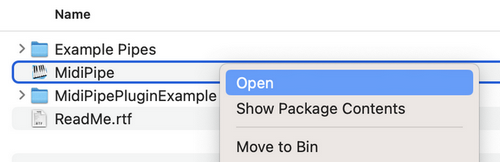
- Right-click the downloaded file MidiPipe.zip and select Open.
- Open the unzipped folder, right-click the file MidiPipe and select Open.
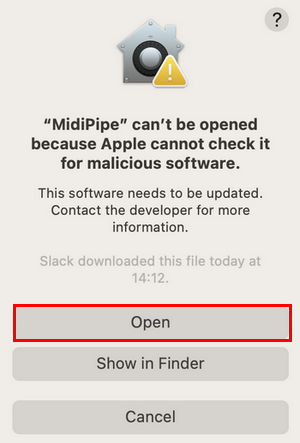
- If the following message appears, click Open:
- In the list on the left, double-click on MIDI In and then on MIDI Out.
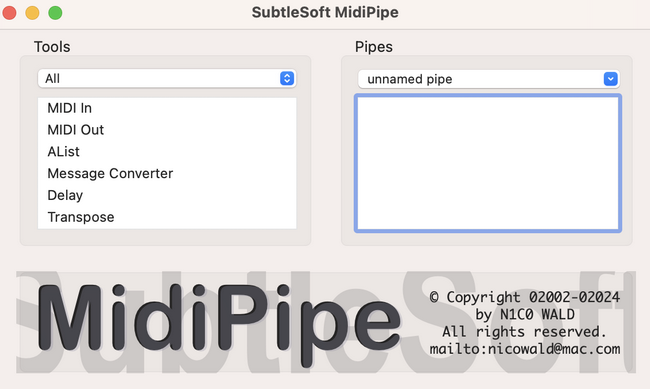
- Under Pipes, click on MIDI In and select the Virtual Maschine device listing from the MIDI Input menu.
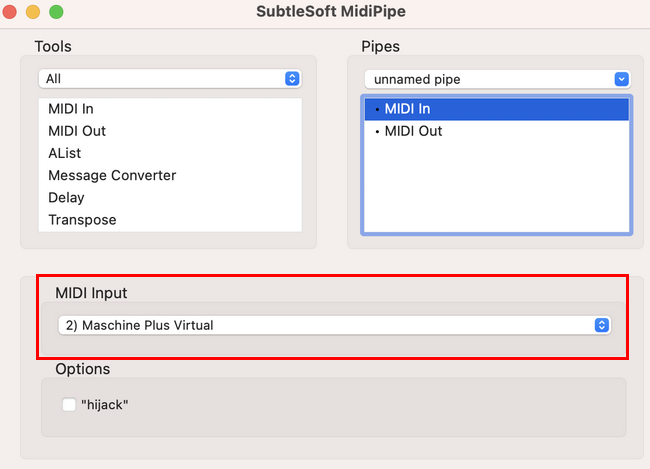
- Click the MIDI Out entry under Pipes and select the Non-Virtual Maschine device from the MIDI Output menu.
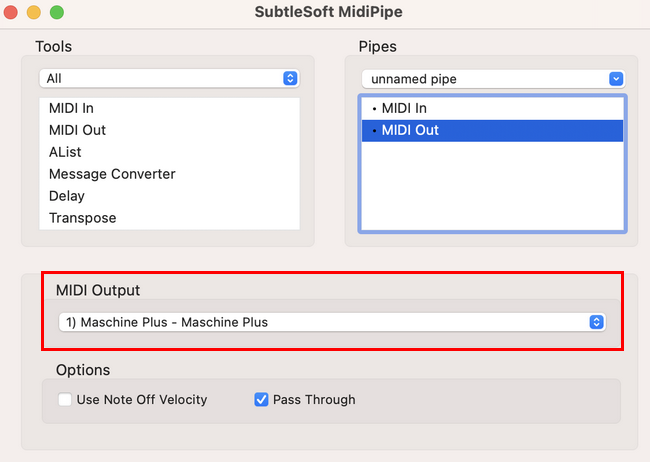
Windows
Follow these steps to configure the Maschine controller with MIDI-OX on Windows.
- Download and install MIDI OX.
- Double click the MIDI OX app (midioxse.exe) to open it.
Note: Click Yes to allow Windows User Account Control to run MIDI-OX if prompted.
- Select Options > MIDI Devices in the menu bar.
- Under MIDI Inputs, select the Virtual Maschine device listing.
- Under MIDI Outputs, select the Non-Virtual Maschine device listing.
- Click OK when finished.
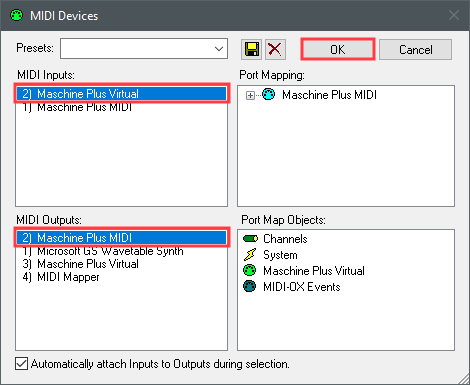
Maschine Hardware Connections
- Verify that your Maschine controller is connected to the computer via USB.
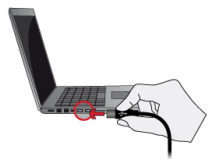
- Connect a 5-pin MIDI cable from the Maschine controller (MIDI Out) to your external MIDI device (MIDI In).
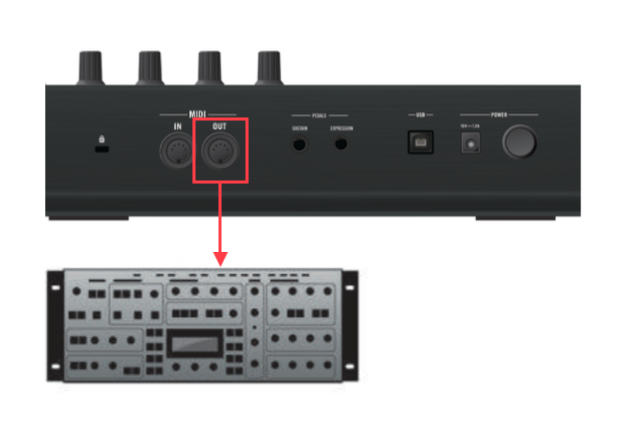
Your Maschine controller will now control the external MIDI synthesizer and software instruments over the 5-Pin and USB MIDI Ports, respectively.
Was this article helpful?
That’s Great!
Thank you for your feedback
Sorry! We couldn't be helpful
Thank you for your feedback
Feedback sent
We appreciate your effort and will try to fix the article