The Playback In Logic Pro X Behaves Erratically When My KOMPLETE KONTROL MK2 Keyboard Is Connected
This article explains how to adjust your firewall settings if your KOMPLETE KONTROL second-generation (MK2) keyboard shows the following issues in Logic Pro X:
- Transport controls (Play, Pause, etc.) behave unexpectedly
- Knob movements in the MIXER page do not update parameter values
These issues can occur when macOS security settings block the connection between KOMPLETE KONTROL and Logic Pro.
To restore proper communication, follow the steps below to add firewall exceptions for the NI Hardware Agents.
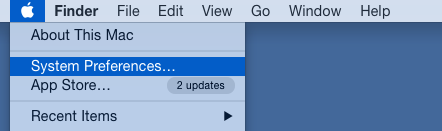
1. Choose System Preferences from the Apple menu.
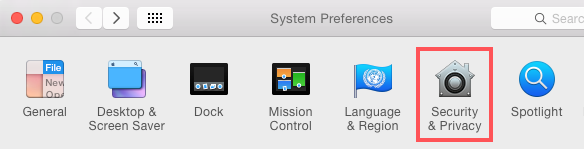
2. Choose Security and Privacy.
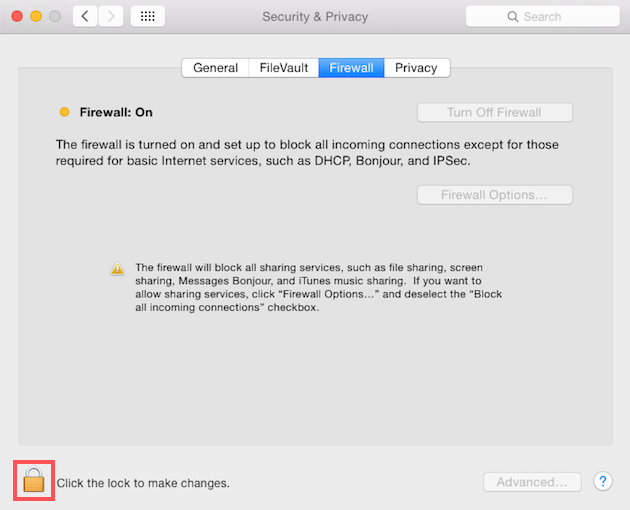
3. Go to the Firewall tab and click on the lock icon at the bottom of the window. Type your admin password when prompted to.
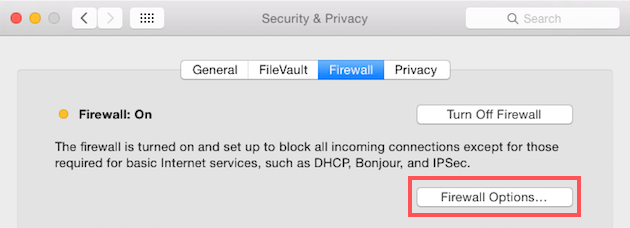
4. Click the Firewall options... button.
5. Click the '+' symbol.
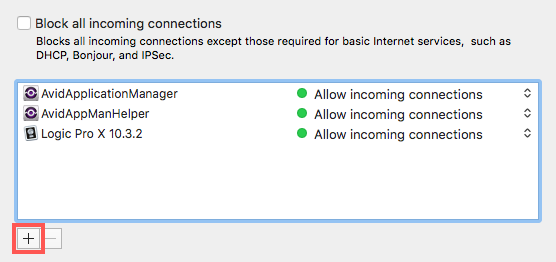
6. Navigate to:
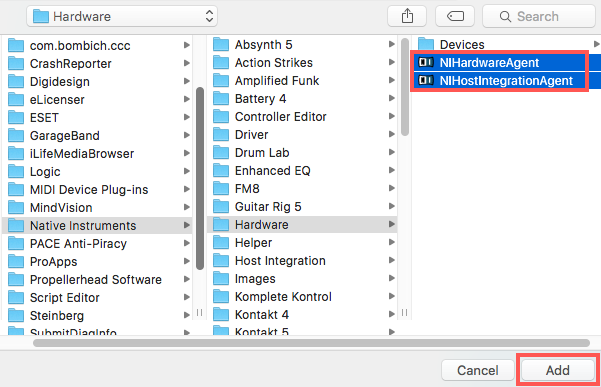
Mac HD > Library > Application Support > Native Instruments > Hardware

7. Hold 'shift' and select NIHardwareAgent and NIHostIntegrationAgent. Click Add.
8. Click OK to confirm.
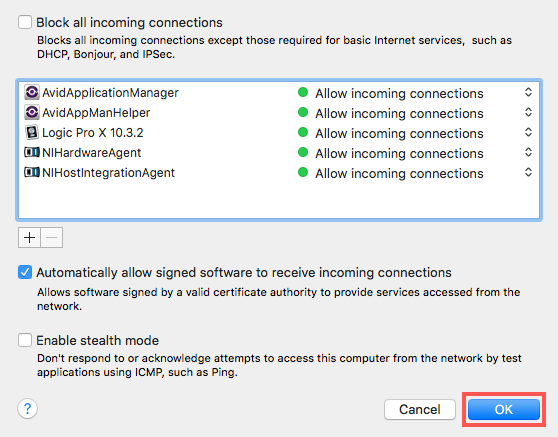
Once these firewall exceptions have been added, your KOMPLETE KONTROL keyboard should be able to communicate properly with Logic Pro again.
If you still experience issues, make sure both Logic Pro and KOMPLETE KONTROL are fully up to date, then restart your computer and test the connection again.
Was this article helpful?
That’s Great!
Thank you for your feedback
Sorry! We couldn't be helpful
Thank you for your feedback
Feedback sent
We appreciate your effort and will try to fix the article