Symptom
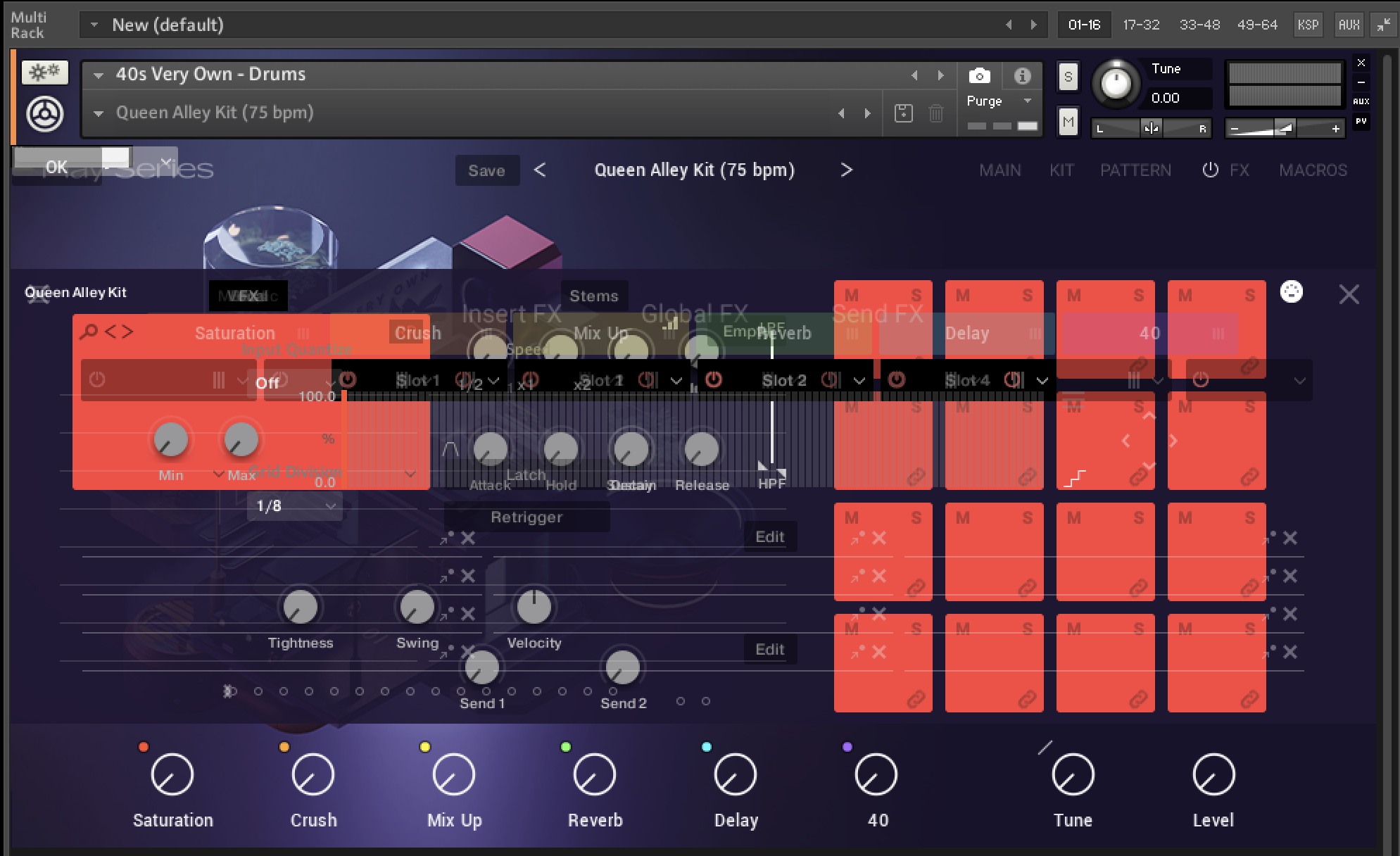
When loading a library in Kontakt, the graphical user interface (GUI) is broken. This happens both in standalone mode and when using the Kontakt plug-in in a DAW.
Cause
The standalone version of Kontakt requires the assignment of an active audio interface in the setup. If you load Kontakt as a plug-in, the DAW must also be set up with an active audio interface.
Solution
Kontakt as a plug-in in your DAW:
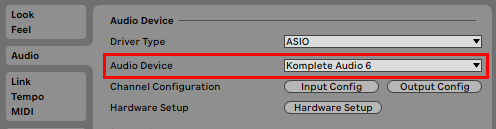
- Open your DAW's audio settings.
- Make sure to select an active audio device / interface. Here we show Ableton Live:
Kontakt (standalone):
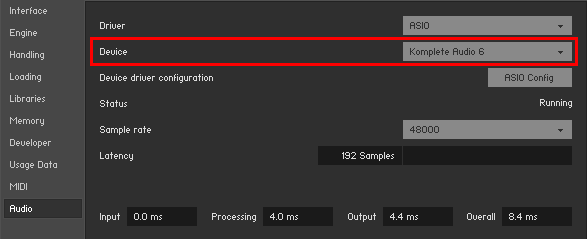
- Start Kontakt standalone and open Options > Audio.
- Select an active audio interface as Device.
Was this article helpful?
That’s Great!
Thank you for your feedback
Sorry! We couldn't be helpful
Thank you for your feedback
Feedback sent
We appreciate your effort and will try to fix the article