Symptom
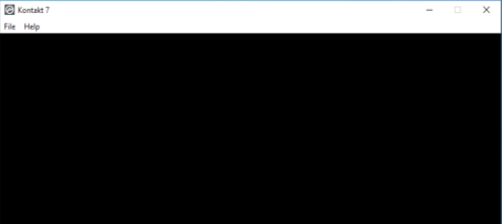
When you start Kontakt 7 / 8 on a Windows computer, the graphical user interface remains black.
Cause
Kontakt 7 / 8 requires graphics hardware support for Direct 3D 11.1 (Feature Level 11_1) or higher.
If your graphic adapter does not support this requirement, Kontakt will open with a black window and will not function.
How can I find out if my graphics can run Kontakt 7 / 8?
The Microsoft tool DxDiag shows all the specifications of your graphics drivers. Here's how to use it:
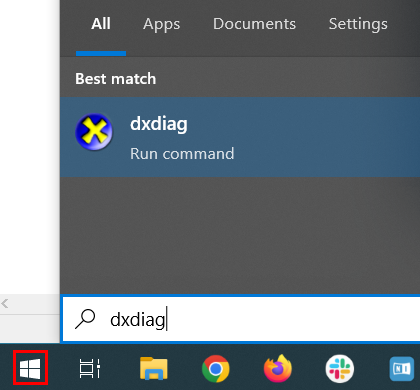
- Click the Windows Start button, type dxdiag and hit enter.
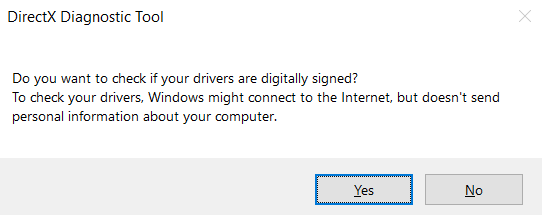
- When prompted, click Yes.
- Open the Display tab. The Drivers area on the right lists the specifications of your graphic adapter.
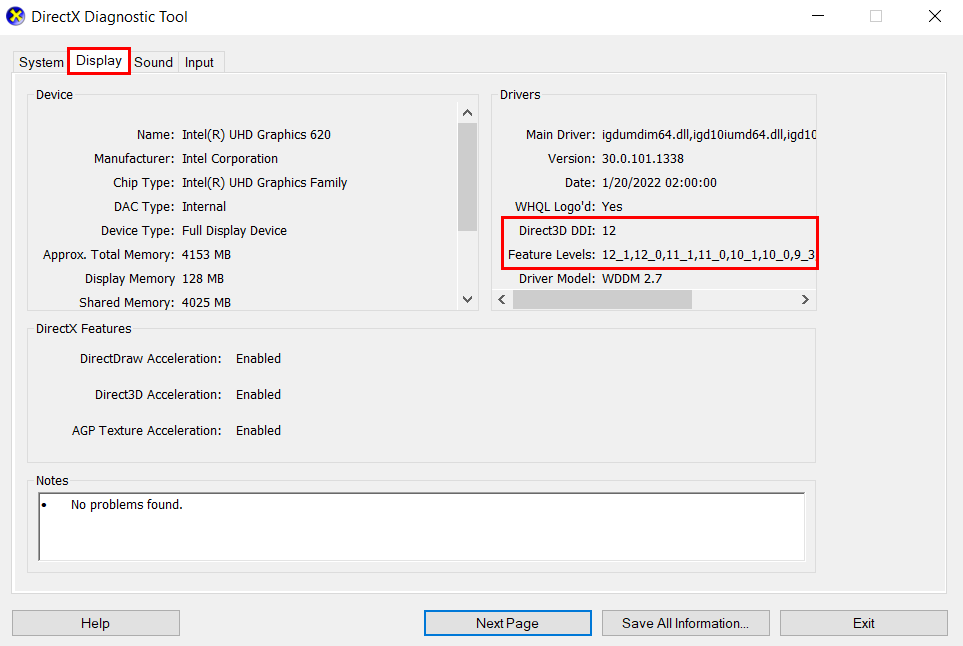
The example above shows support for Direct3D 12 and Feature Level 12_1. This graphic adapter's Direct3D driver is compatible with Kontakt 7 / 8.
Was this article helpful?
That’s Great!
Thank you for your feedback
Sorry! We couldn't be helpful
Thank you for your feedback
Feedback sent
We appreciate your effort and will try to fix the article