TABLE OF CONTENTS
Symptom
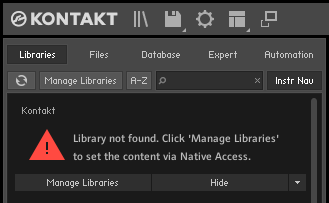
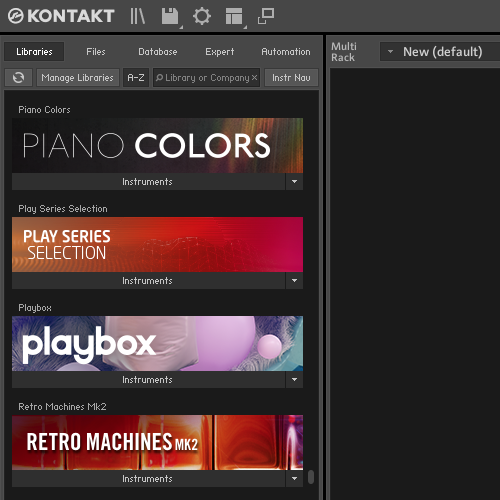
The following error message displays in the KONTAKT Libraries browser:
Library not found.
Cause
This happens if a Kontakt Library has been moved or the installation folder path was changed (e.g. the hard drive or library folder was renamed).
Solution
Please select your version of Kontakt.
Kontakt 7 / 8
- Close Kontakt, your DAW, and all other Audio / MIDI-related software.
- Start Native Access and go to Library > Installed > Kontakt.
- Find the Library and click Repair.
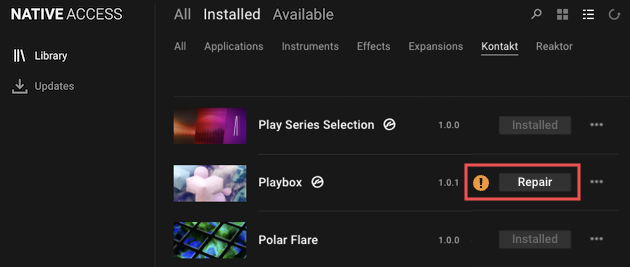
- In the Repair Installation window, click Relocate.
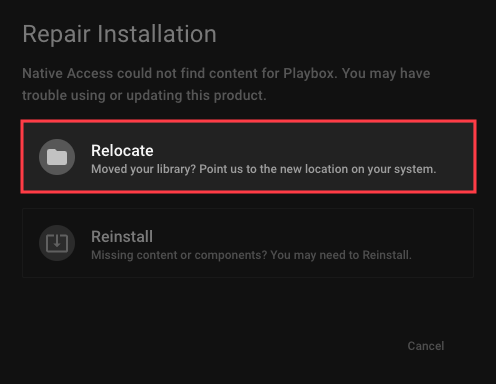
- The Locate window displays the product's last known location. Click the folder symbol.
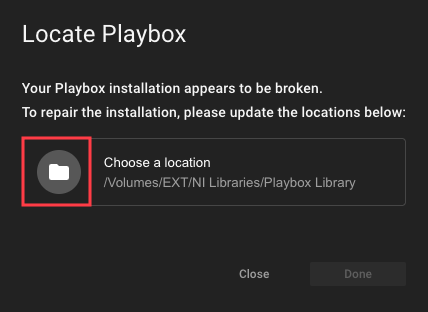
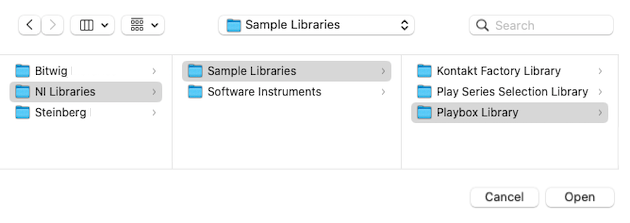
- Browse to the new location and select the Library folder.
- The Locate window will indicate that the library folder was successfully relocated.
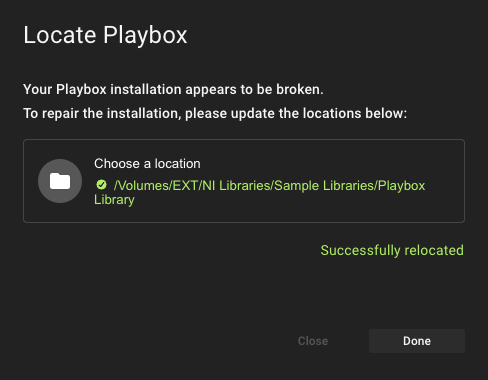
- Click Done to close the Locate window and your Kontakt library will now display correctly in the browser.
Kontakt 6 and Earlier
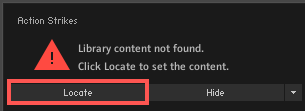
- Click Locate underneath the error message.
- The Library Content Missing window will appear. Use this window to relocate the missing Library folder. The easiest method is to Resolve Automatically. Click either *Search Filesystem (Mac/Win) or *Search Spotlight (Mac) to start scanning your computer for the missing content.
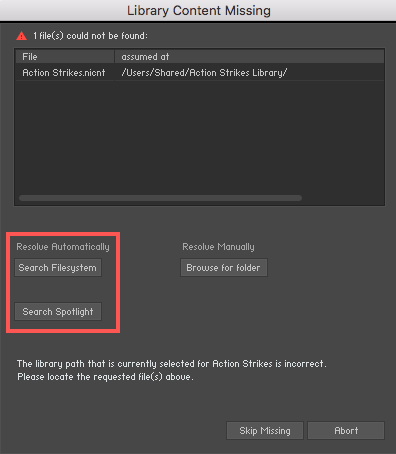
*Note: While Search Spotlight (Mac) is the fastest method, Search Filesystem (Mac/Win) may take some time. - If you know where the Library folder is located on your computer, you can choose the option to Resolve Manually. Start this process by clicking Browse for folder.
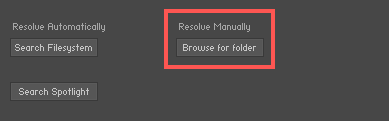
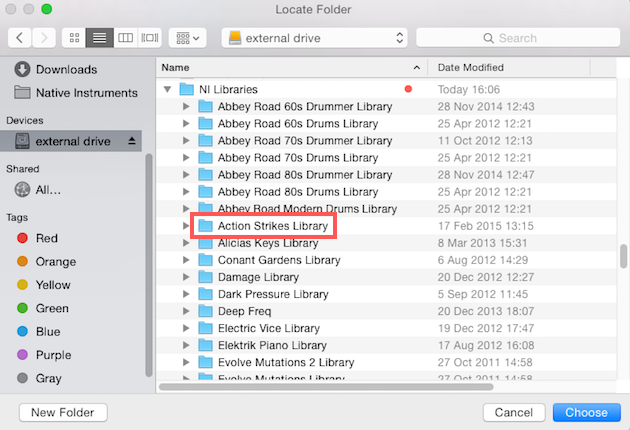
- This opens a window from your computer's file system. Choose the Library folder you want to relocate. In our example, we choose to relocate the Action Strikes Library.
Note: Your operating system may prompt you to type in your administrator password to allow Kontakt to make changes to your system.
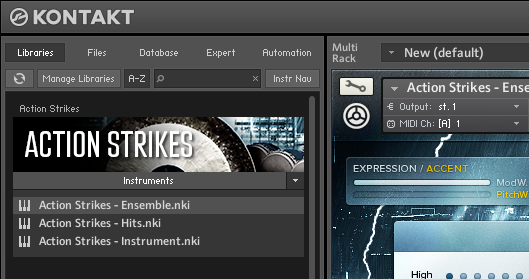
The installation path is now repaired and the Kontakt library can be loaded from the Browser.
In our example, we choose to relocate the Action Strikes Library.
Was this article helpful?
That’s Great!
Thank you for your feedback
Sorry! We couldn't be helpful
Thank you for your feedback
Feedback sent
We appreciate your effort and will try to fix the article