Symptom
Deselecting libraries from the Library list in Kontakt 7 / 8 does not hide those libraries from the Library Browser.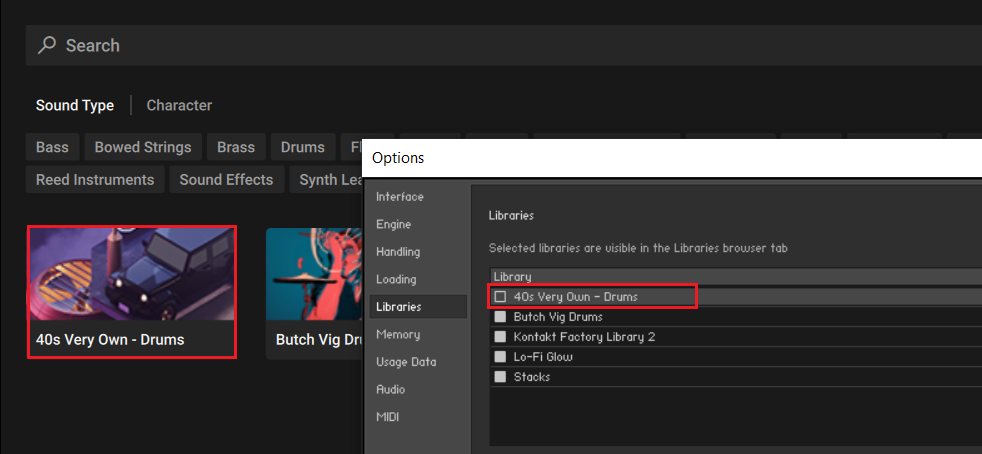
Cause
Currently, the hide library function only applies to those libraries listed in the Libraries Tab. This feature will be implemented for the Libraries Browser in a future Kontakt update.
In the meantime, please use the Libraries Tab if you want to access only the selected Libraries. You can toggle the view with the LIBRARY button in Kontakt's header: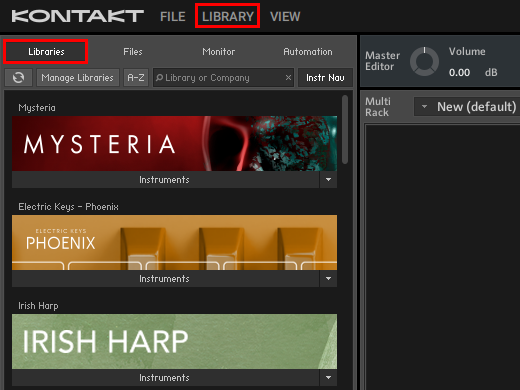
Also ensure that the VIEW > Side Pane option is activated in order to make the Libraries Tab visible: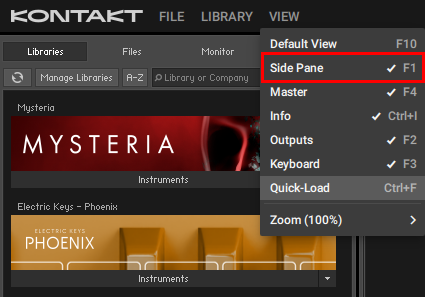
In Kontakt 8, you can additionally toggle the Classic View / Default View from the VIEW menu: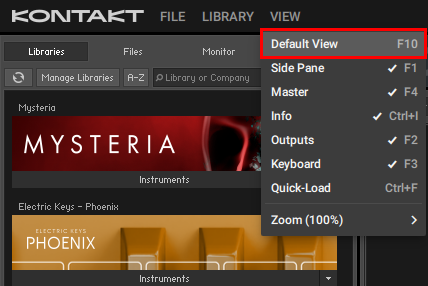
Was this article helpful?
That’s Great!
Thank you for your feedback
Sorry! We couldn't be helpful
Thank you for your feedback
Feedback sent
We appreciate your effort and will try to fix the article