Symptom
When playing a Kontakt instrument at 90 bpm in FL Studio, the audio is out of sync.
Solution
- Load Kontakt on an instrument channel.
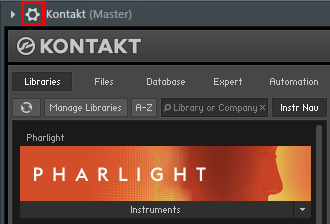
- Click the cogwheel button to open the detailed settings.
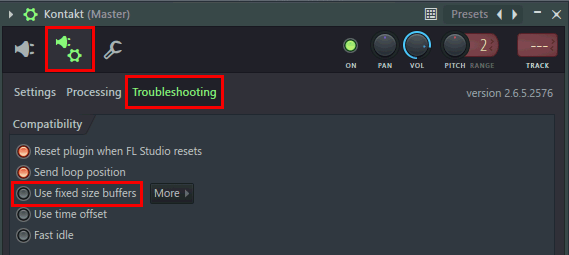
- Click the plug/cogwheel button and select Troubleshooting.
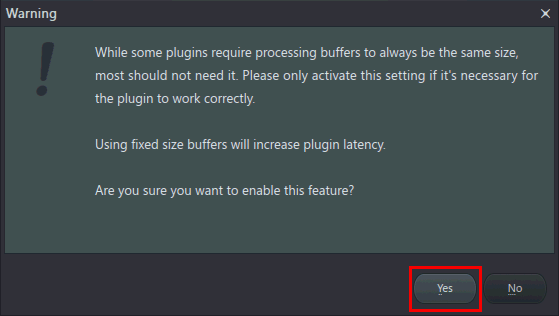
- Activate the option Use fixed size buffers and confirm with Yes.
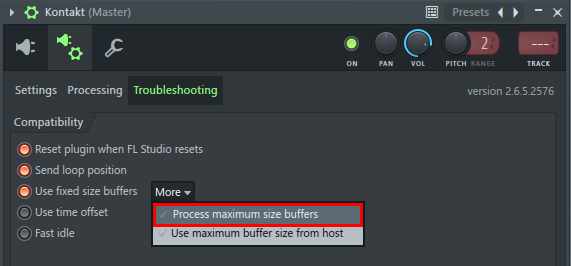
- Click More and select Process maximum size buffers.
Kontakt will now play in sync again.
Was this article helpful?
That’s Great!
Thank you for your feedback
Sorry! We couldn't be helpful
Thank you for your feedback
Feedback sent
We appreciate your effort and will try to fix the article