This article explains how to record MIDI notes from your Maschine controller directly in FL Studio. This can be useful when you want to bypass the Maschine sequencer and use FL Studio's sequencer to edit the recorded notes while still using the Maschine sounds.
TABLE OF CONTENTS
FL Studio MIDI settings
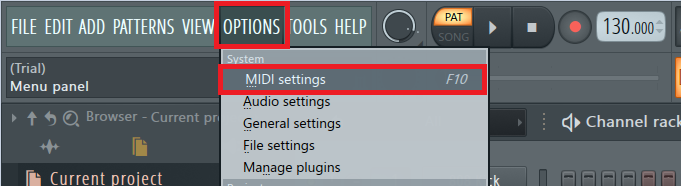
- Connect your Maschine controller and open FL Studio's MIDI settings under OPTIONS > MIDI settings.
- In the Input section, click on your Maschine controller and choose (generic controller) as the Controller type.
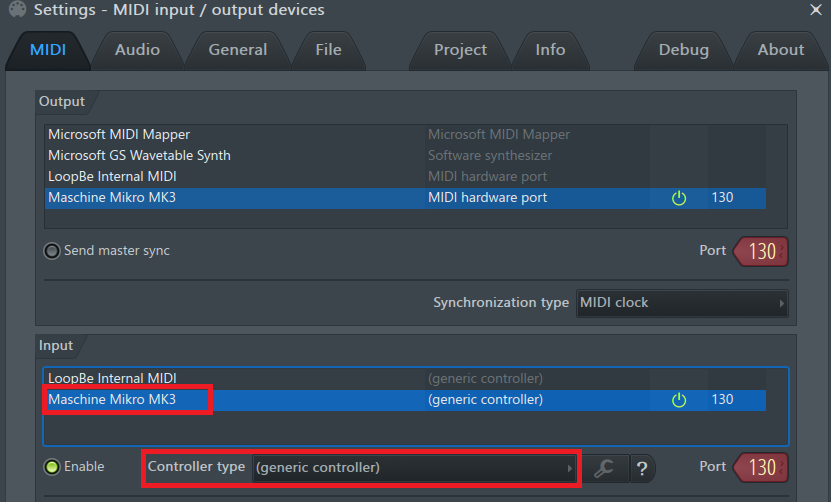
Note: Some previous generations of Maschine controllers can be chosen as the Controller type. If you have one of those controllers, choose the corresponding entry.
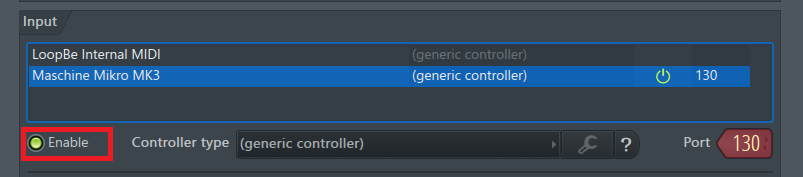
- Then, click the Enable button.
Configuring Maschine
- Load Maschine 2 as a plug-in in FL Studio.
- Open the Maschine 2 plug-in and load or create a kit.
- Click the Channel icon.
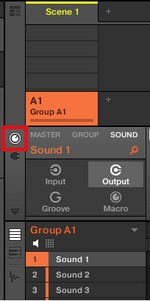
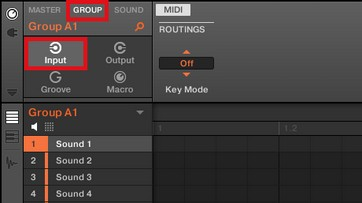
- Click the Group tab followed by Input to open the MIDI Input properties page for your Group.
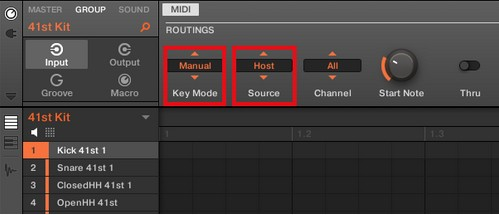
- Choose Manual for the Key Mode and Host for the Source.
- Switch your Maschine controller to MIDI mode. You can find the button combination for your controller in this list:
Maschine Model MIDI Mode Button Combination Maschine MK1 / MK2 SHIFT + CONTROL Maschine MK3 SHIFT + CHANNEL (MIDI) Maschine Mikro MK1 / MK2 SHIFT + F1 Maschine Mikro MK3 SHIFT + Project button Maschine Studio SHIFT + CHANNEL Maschine Jam SHIFT + headphones button (MIDI)
Selecting the correct octave
If you are using the Maschine MK3 or Mikro MK3, the correct octave of the pads is already set. You can directly start playing and record the Maschine sounds with the pads of your controller in your DAW. Alternatively, you can program the MIDI notes in your sequencer with the mouse.
For the other Maschine controllers, you have to set the correct octave for the pads to play on.
As the root note of the Group inside the Maschine Software is set to C1, press GROUP Button C. Now your Maschine pads will trigger the Notes from C1 to D#2. This means that when you press your first Maschine pad, Sound 1 will be triggered, the second Maschine pad triggers Sound 2, etc.
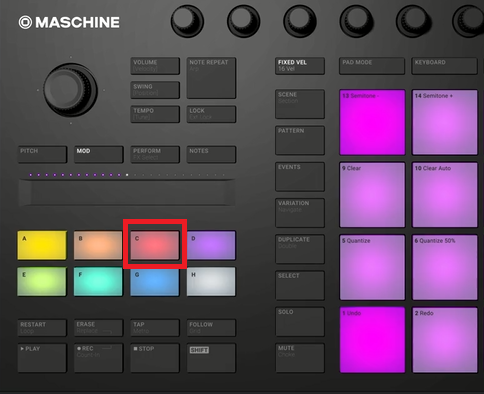
To select Group C of the Maschine Mikro MK1 / MK2 / MK3, hold down the GROUP button and press pad 15 / C.
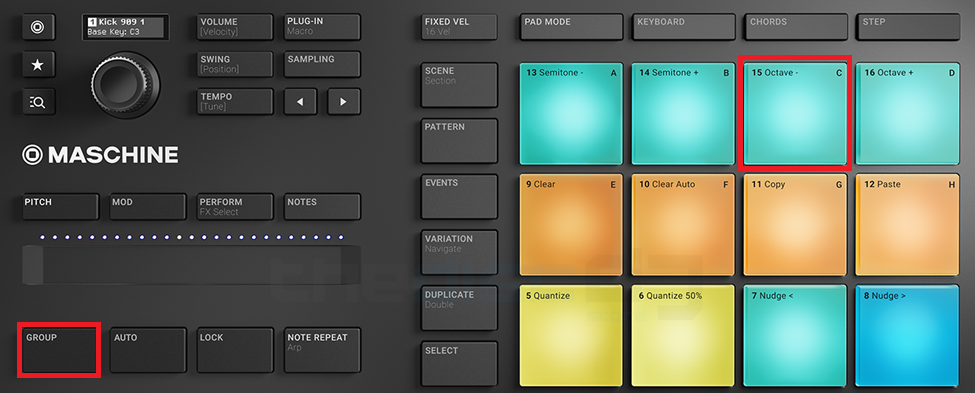
You can now play your Kit on Maschine and record the notes directly into your DAW. Alternatively, you can program the MIDI notes directly in FL Studio with the mouse.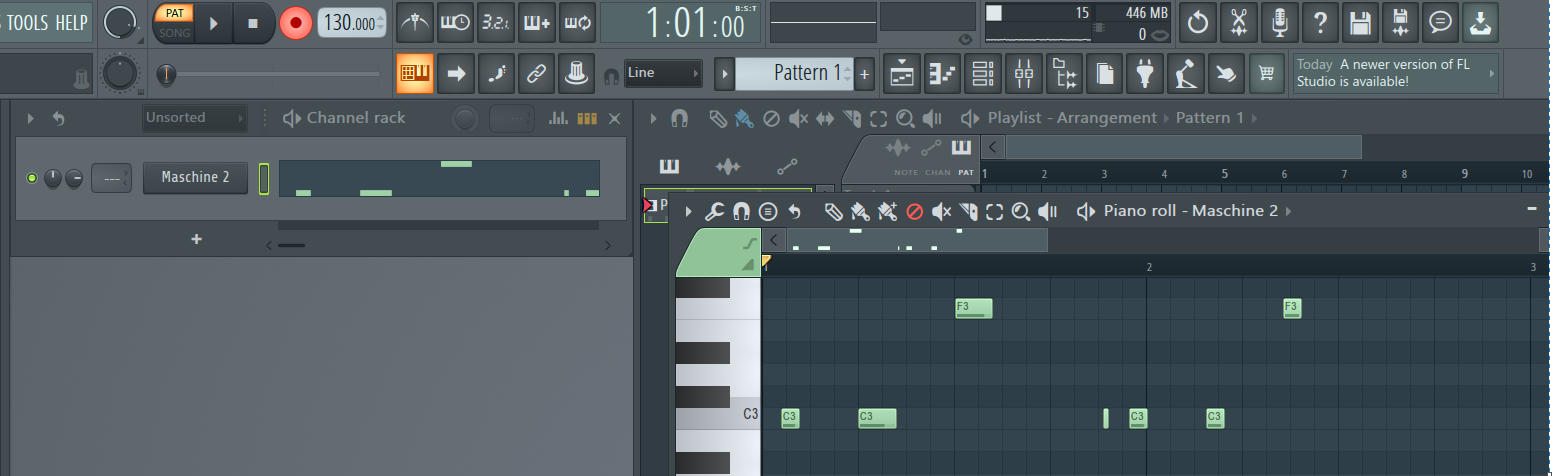
Was this article helpful?
That’s Great!
Thank you for your feedback
Sorry! We couldn't be helpful
Thank you for your feedback
Feedback sent
We appreciate your effort and will try to fix the article