Kontrol S-Series | The Instance Button On My Komplete Keyboard Does Not Work
The INSTANCE button on the Komplete Kontrol S-Series is deactivated if you are using Komplete Kontrol in a host application that supports advanced integration (Ableton, Cubase / Nuendo, Logic X).
In this case, you switch between your loaded instances of Komplete Kontrol by selecting the corresponding track in your host software. You can do this by using the arrow buttons on the keyboard. The mapping of the controls will automatically follow your track selection.
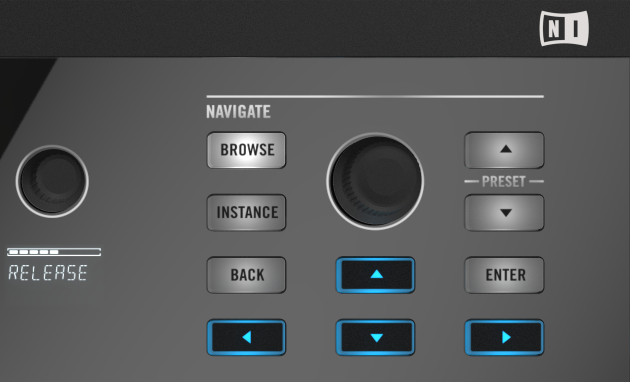
The INSTANCE button on the Komplete Kontrol S-SERIES keyboard controllers is activated when you are using a host which does not support advanced integration (for example: Pro Tools, Digital Performer, Sonar, Samplitude, etc.).
In this case, by pressing the INSTANCE button, you can call up an overlay on the computer screen which enables you to switch between all loaded instances of the plug-in.
Was this article helpful?
That’s Great!
Thank you for your feedback
Sorry! We couldn't be helpful
Thank you for your feedback
Feedback sent
We appreciate your effort and will try to fix the article