Symptom
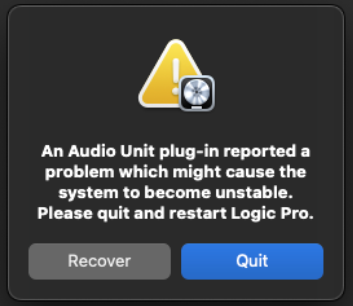
When loading an NI plug-in in Logic Pro, an error message appears stating:
An Audio Unit plug-in reported a problem which might cause the system to become unstable. Please quit and restart Logic Pro.
Solution
While our developers are working with Apple to find a solution as fast as possible, the following workaround will allow you to open your NI plug-ins in Logic as normal:
- Navigate to Logic Pro > Settings (or Preferences) > MIDI
- Uncheck the box MIDI 2.0.
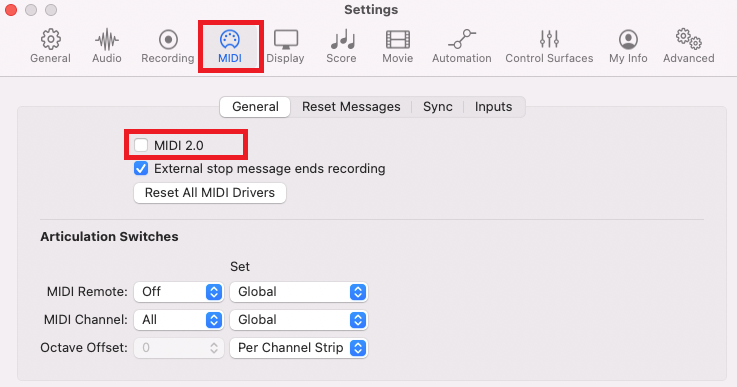
That's it. You will now be able to load your NI plug-ins in Logic.
Was this article helpful?
That’s Great!
Thank you for your feedback
Sorry! We couldn't be helpful
Thank you for your feedback
Feedback sent
We appreciate your effort and will try to fix the article