Native Instruments | Windows Error Message: "Runtime Error!"
TABLE OF CONTENTS
Symptom
You receive the following error message:
Runtime Error! Program: (...). This application has requested the Runtime to terminate it in an unusual way. Please contact the application's support team for more information.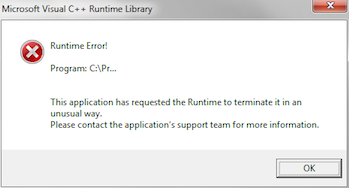
Cause
The Windows C++ Runtime Library Package must be updated.
Solutions
1. System File Checker tool
Run the system file integrity checker, as explained in this article from the Microsoft knowledge base.
2. Windows Updates
Make sure you have the latest Windows Updates installed. This article from Microsoft explains how to do this.
3. Install the latest Microsoft Visual C++
Ensure you have the latest supported Visual C++ redistributable packages for Visual Studio 2015, 2017 and 2019 installed. Install both the x86:vc_redist.x86.exe and x64:vc_redist.x64.exe available from the Microsoft support site.
Was this article helpful?
That’s Great!
Thank you for your feedback
Sorry! We couldn't be helpful
Thank you for your feedback
Feedback sent
We appreciate your effort and will try to fix the article