TABLE OF CONTENTS
Symptoms
If your Maschine+ is unable to install updates, displays a registration error, or repeatedly fails to complete the update process, the issue may be related to a missing Maschine 3 licence on your Native Instruments account.
Cause
As of Maschine+ firmware version 2.1.0, a valid Maschine 3 licence is required to register the hardware and complete updates. If your account does not contain a Maschine 3 licence, update and registration failures may occur.
How to Check
- Log in to Native Access using the same Native Instruments account used with your Maschine+.
- Confirm whether a Maschine 3 licence appears in your account
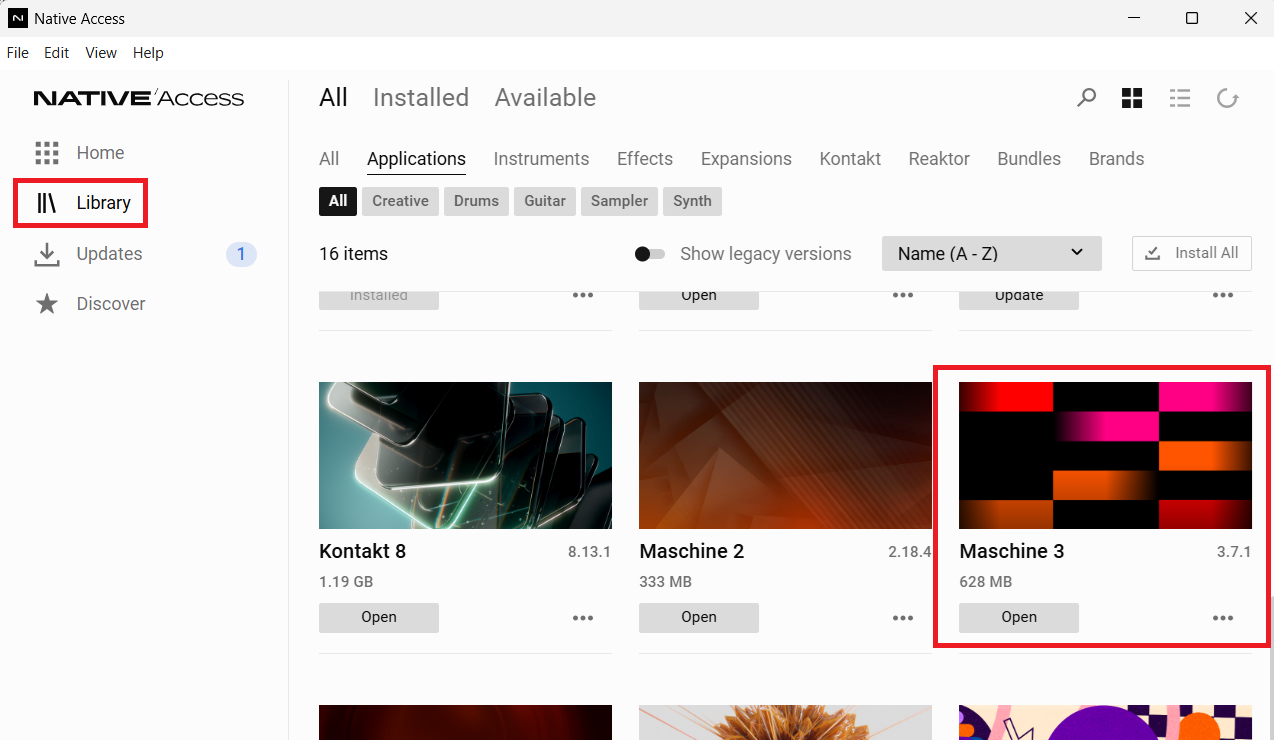
- Click Refresh in Native Access to synchronise your licences

Resolution
If a Maschine 3 licence is not present on your account, you will need to obtain one and ensure it is registered to the account associated with your Maschine+.
You can purchase a copy here: Maschine 3
Ensure your Maschine 3 license appears in your Native Instruments account. Open Native Access on your computer and click the Refresh icon to sync your licenses.
After the licence has been added, update your Maschine+:
- On your MASCHINE+, navigate to Settings > System.
- Follow the on-screen instructions to install the update
Second-Hand Units
If your Maschine+ was purchased second-hand, the previous owner may not have transferred the required software licence. In this situation, the device may fail registration or updates until a valid Maschine 3 licence is present on your Native Instruments account.
If you purchased the product pre-owned, please ask the seller to initiate a licence transfer, as explained in the video below:
If you can no longer contact the seller, you can still use the hardware. However, to register and update a Maschine+ running firmware 2.1.0 or later, a valid Maschine 3 licence will be required on your account. In this case, you can purchase the software separately.
You can purchase a copy here: Maschine 3
Once the licence has been added to your account, open Native Access and click the Refresh icon to sync your licenses.
After the licence has been added, update your Maschine+:
- On your MASCHINE+, navigate to Settings > System.
- Follow the on-screen instructions to install the update
Was this article helpful?
That’s Great!
Thank you for your feedback
Sorry! We couldn't be helpful
Thank you for your feedback
Feedback sent
We appreciate your effort and will try to fix the article