Native Instruments | Where Is My Serial Number for Ableton Live Lite?
The following products qualify for a free license for Ableton Live Lite:
- Komplete Kontrol M32
- Komplete Kontrol S-Series MK3 / MK2
- Komplete Kontrol A-Series
- Komplete Kontrol 1 / 2
- Komplete Kontrol 6 MK2
Follow these steps in order to receive your serial number for Ableton Live Lite:
Registering Your NI Hardware
- Open Native Access and log in with your Native Instruments email and password.
- Click Add Serial.
- Enter your hardware serial number in the dedicated field. You can find the serial number on the bottom side of your device.
- Confirm your serial number.
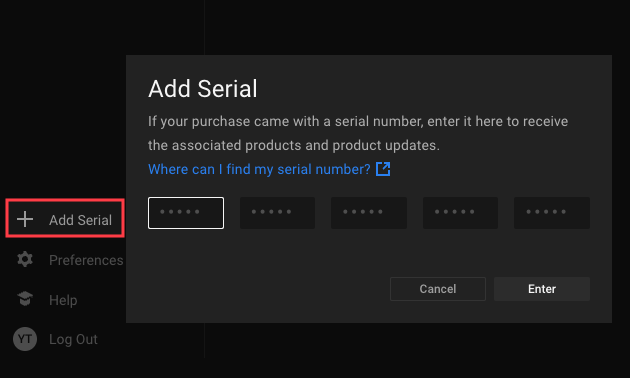
Receiving Your Ableton Live Lite Serial Number
After registering your NI hardware, you will receive two emails with the following subjects:
- 'Your Native Instruments product registration', which confirms the registration of your device.
- 'Download information for your Native Instruments purchase', which lists the software products that come with your hardware.
Follow these steps:
- Open the email Download information for your Native Instruments purchase. If you cannot find it in your inbox, please check your spam folder.
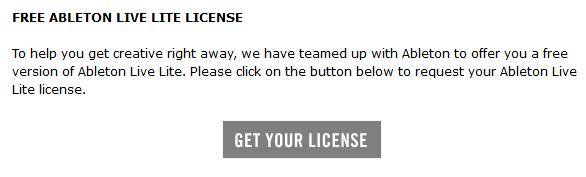
- In the email, scroll down to the Ableton section and click the button GET YOUR LICENSE:
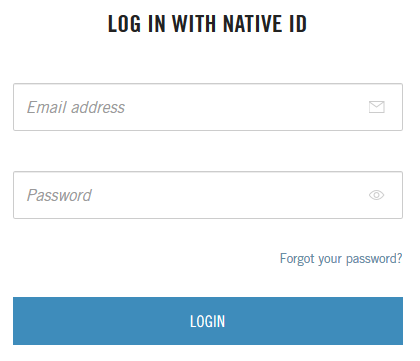
- You will be redirected to our website. If prompted, log in with your NI email address and password:
- Click the button REQUEST LICENSE.
- You will receive another email by NI with the subject 'Activate your serial number for Ableton Live Lite'. Please note that this process can take up to 30 minutes.
- Open the new email Activate your serial number for Ableton Live Lite. It contains your Live Lite serial number.
- In the email, click the button DOWNLOAD ABLETON LIVE LITE to open the Ableton download page:

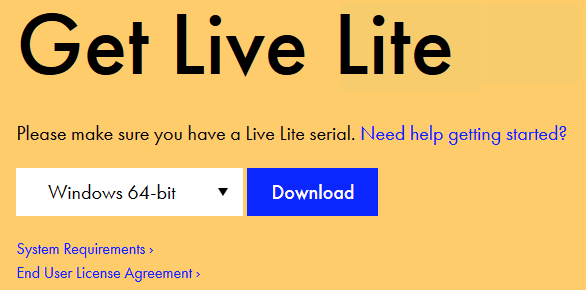
- On the Ableton download page, you can choose your operating system and download the installer for Live Lite:
If you need help with the installation or the registration process of Ableton Live Lite, please check the resources on this Ableton website.
Was this article helpful?
That’s Great!
Thank you for your feedback
Sorry! We couldn't be helpful
Thank you for your feedback
Feedback sent
We appreciate your effort and will try to fix the article