With the release of MASCHINE 2.7.4 and Komplete Kontrol 2.0.0, Native Instruments introduced an updated tagging system for FX presets using the Native Kontrol Standard.
After updating, Factory Library presets are automatically converted to the new tagging format, while User presets can be updated manually.
For User presets the change is optional: you may choose if you want to keep your old tags or if you want to update them to the new NKS scheme.
If you have user presets saved that have used the old tagging scheme, a yellow UPDATE button will become visible on top of your browser window when you are in the User FX presets section of the Browser.
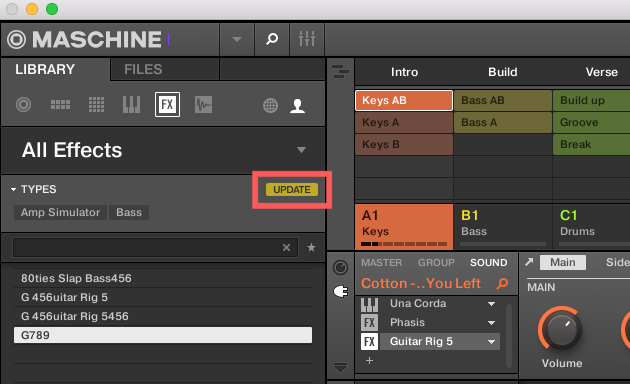
If you want to keep the old tagging scheme for your User presets, you can ignore the UPDATE button.
If you wish to update your User presets to the new NKS tagging scheme, press the Update button. The following dialogue will appear: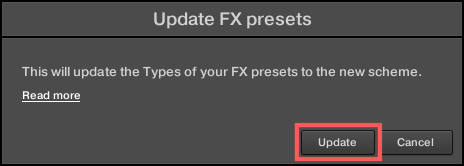
On clicking the Update button here, your existing User presets will be updated to the new tagging scheme. Your custom tags will not be affected by this update. Please be aware that the changes are permanent and cannot be undone.
Was this article helpful?
That’s Great!
Thank you for your feedback
Sorry! We couldn't be helpful
Thank you for your feedback
Feedback sent
We appreciate your effort and will try to fix the article