How to Access BATTERY 3 Kits via the BATTERY 4 and MASCHINE 2 Library Browser

Since BATTERY 4.1.5 it is possible to batch resave BATTERY 3 kits to the new BATTERY 4 format. This feature makes BATTERY 3 content available for selection in the BATTERY 4 as well as in the MASCHINE 2 Browser. To import BATTERY 3 kits into BATTERY 4 follow the steps below:
Important Note: If you wish to continue using the Battery 3 Library within BATTERY 3 it is necessary to make a copy of the Library before converting it to the new BATTERY 4 format. This is very important as converting your Battery 3 Library to the BATTERY 4 format will break compatibility between the Battery 3 Library and BATTERY 3. This library copy can be used exclusively with BATTERY 3.
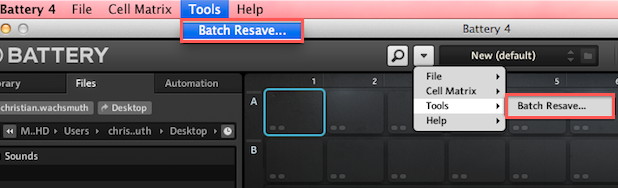
- Launch BATTERY 4 and select Tools > Batch Resave... from the toolbar.
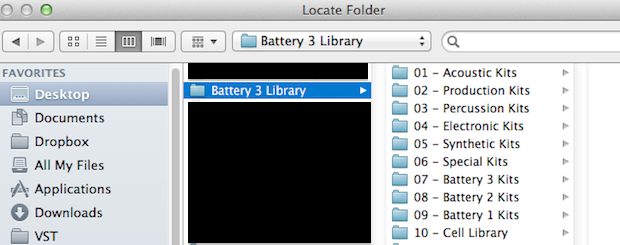
- A new window will open. Select the Battery 3 Library folder on your hard drive and click Choose.
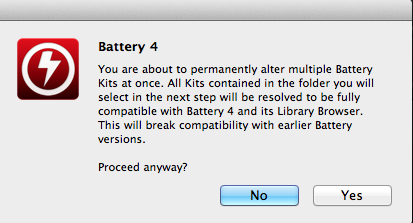
- A new dialog window will open. If you have already created a backup of the Battery 3 Library it is safe to click Yes.
- BATTERY 4 will begin searching for any missing BATTERY 3 samples. This may take a while. If BATTERY 4 notices any missing samples a dialog window will open allowing you to relocate them.
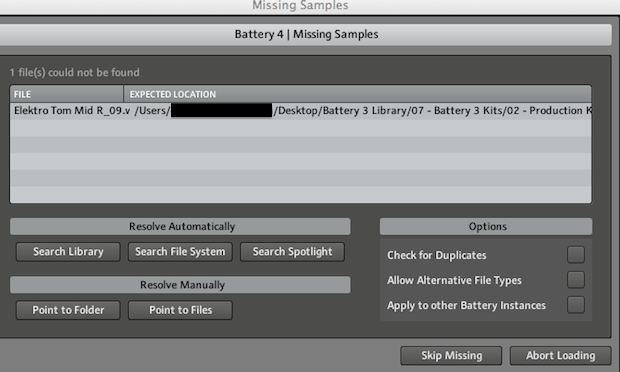
Select Point to Folder to manually select the Battery 3 Library folder. It may take some time while BATTERY 4 resolves all the missing sample paths. After this is complete BATTERY 4 will begin Resaving kits...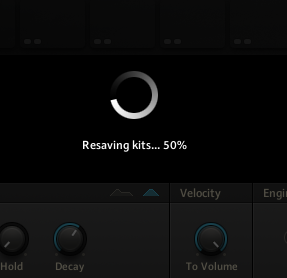
- After the resaving process is complete go to the BATTERY 4 browser and click the Files tab.
- Locate the Battery 3 Library folder via the Files browser. Your BATTERY 3 Kits will now available for selection. To access your BATTERY 3 content via the main Library tab under User content select the Battery 3 Library folder and click Import.
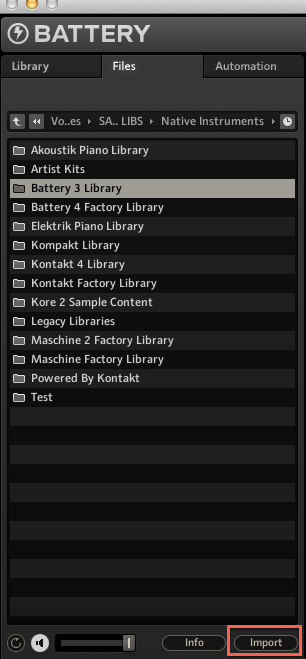
You BATTERY 3 Kits will now be available in the BATTERY 4 Browser under User content: 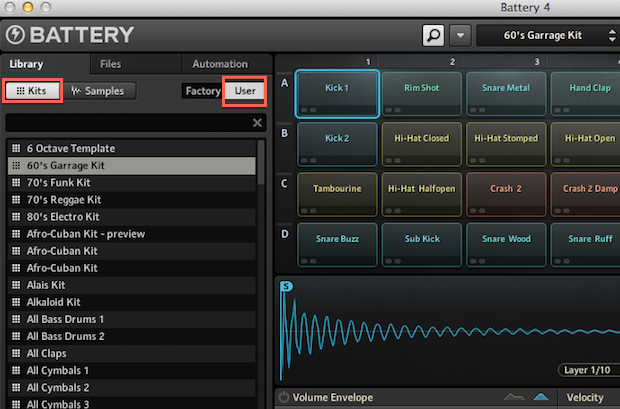
Was this article helpful?
That’s Great!
Thank you for your feedback
Sorry! We couldn't be helpful
Thank you for your feedback
Feedback sent
We appreciate your effort and will try to fix the article