Follow the steps below if you want to cancel the Transfer of your NI product after having received the confirmation e-mail containing your License Transfer ID:
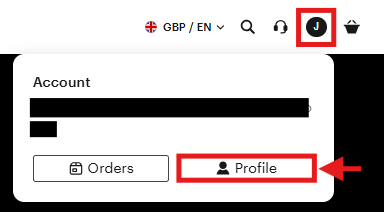
- Go to the Native Instruments website, click the user icon in the upper right, and select Profile. Log in if prompted.
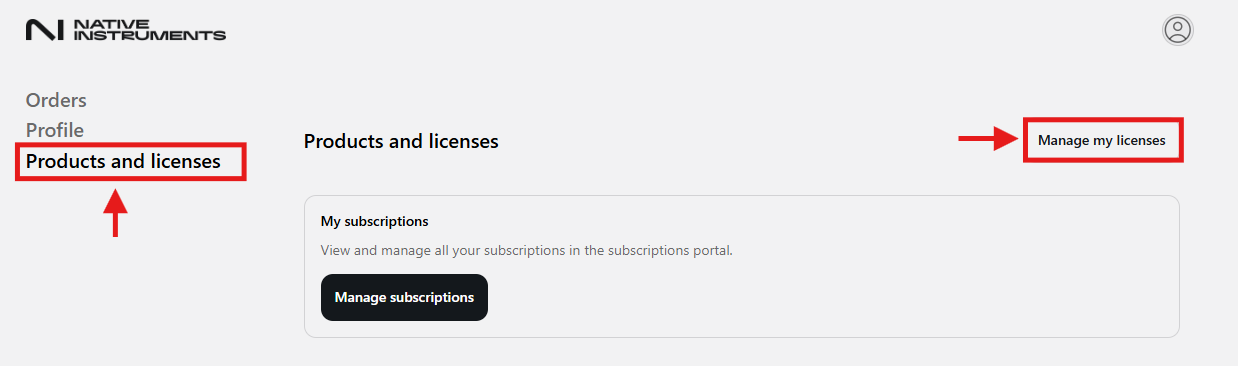
- Go to the Products and licenses tab
- Select Manage my licenses
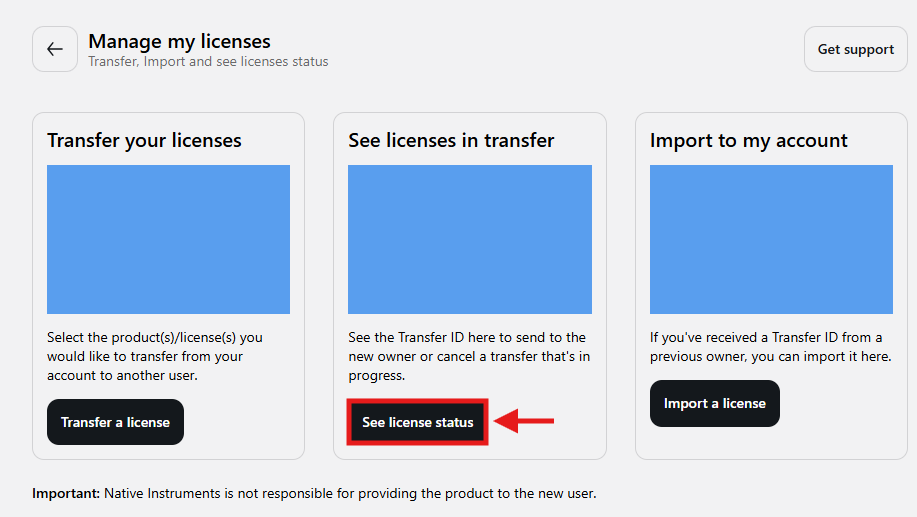
- Under the Manage my licenses hub, select See license status
- Locate the Transfer ID related to the product you've recently transferred
In the example below, we will be deleting the Komplete Kontrol transfer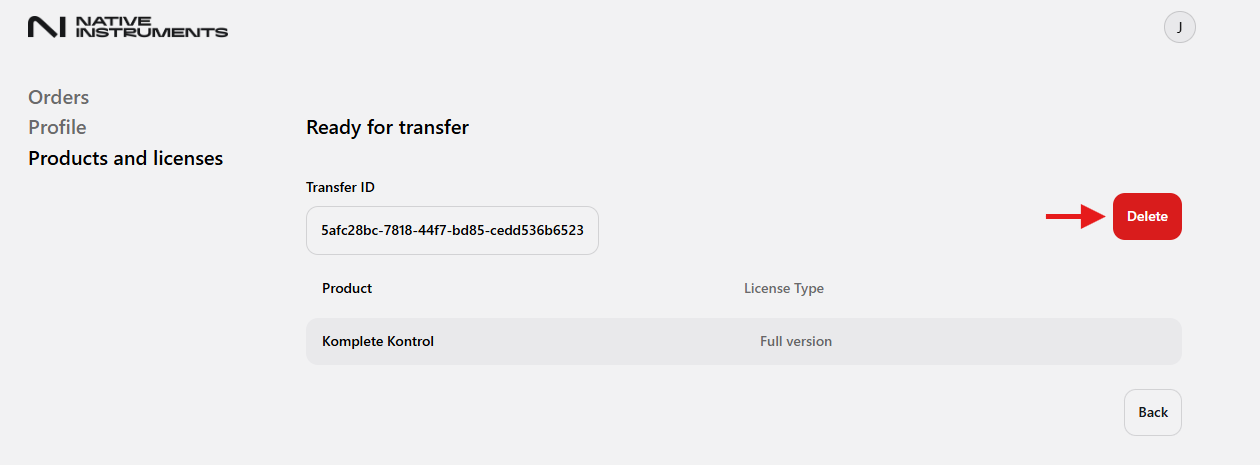
- Once located, select the Delete icon.
Important Note: You can only cancel a Transfer if the buyer has not yet imported the Transfer ID to his account. - The page will update and show any remaining transfers. If none are present, you will be notified "No active transfer were found"
- Once completed, the products will be linked back to your own NI user account.
Was this article helpful?
That’s Great!
Thank you for your feedback
Sorry! We couldn't be helpful
Thank you for your feedback
Feedback sent
We appreciate your effort and will try to fix the article