Traktor 3 | App crashes when loading specific new tracks (Apple Silicon / M-Series)
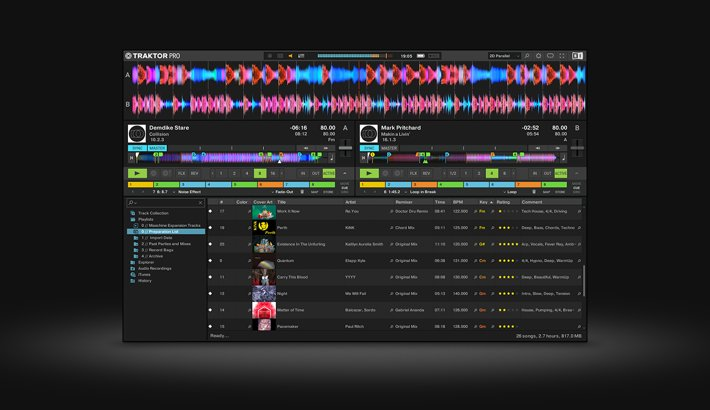
Since Traktor Pro version 3.9, the software can crash on Apple Silicon / M-Series machines when loading a specific type of tracks directly into a deck before they have been analyzed. We were able to reproduce the problem with tracks provided to us by affected users and are working on a solution.
Until this issue is fixed, there are 2 workarounds to avoid such crashes. Both workarounds aim to analyze the tracks in advance before they are loaded into a deck.
Workaround 1: "Analyze new imported tracks"
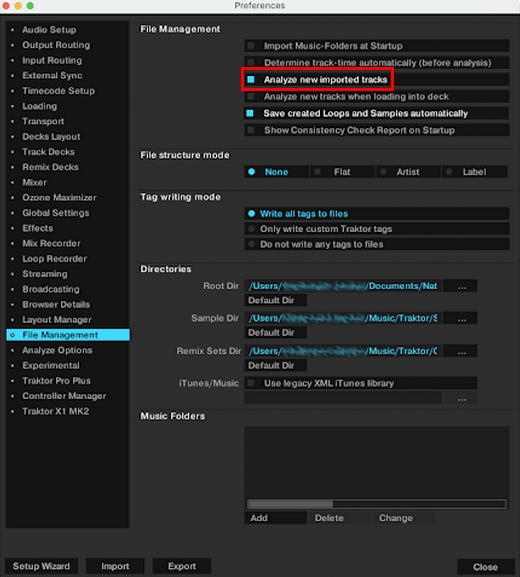
- Open Preferences > File Management and activate the option Analyze new imported tracks:
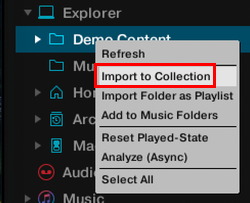
- Import new tracks from the Browser Tree before you play them. Using Import to Collection and wait until the analysis is complete before loading the new tracks into a deck:
Workaround 2: Auto-Import new tracks via "Import Music Folders on startup"
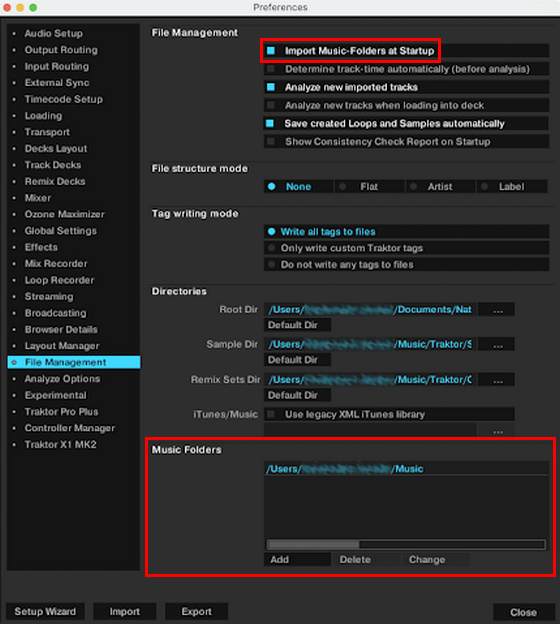
- Open Preferences > File Management and activate the option Import Music Folders on Startup.
- In the Music Folders section, add the folder with your new music you want to import automatically on startup to the list of folders:
- When you start Traktor, wait for the analysis to be complete before loading the new tracks.
Was this article helpful?
That’s Great!
Thank you for your feedback
Sorry! We couldn't be helpful
Thank you for your feedback
Feedback sent
We appreciate your effort and will try to fix the article