Traktor | No response from Main Level or Cue Volume knobs on Traktor Kontrol controller
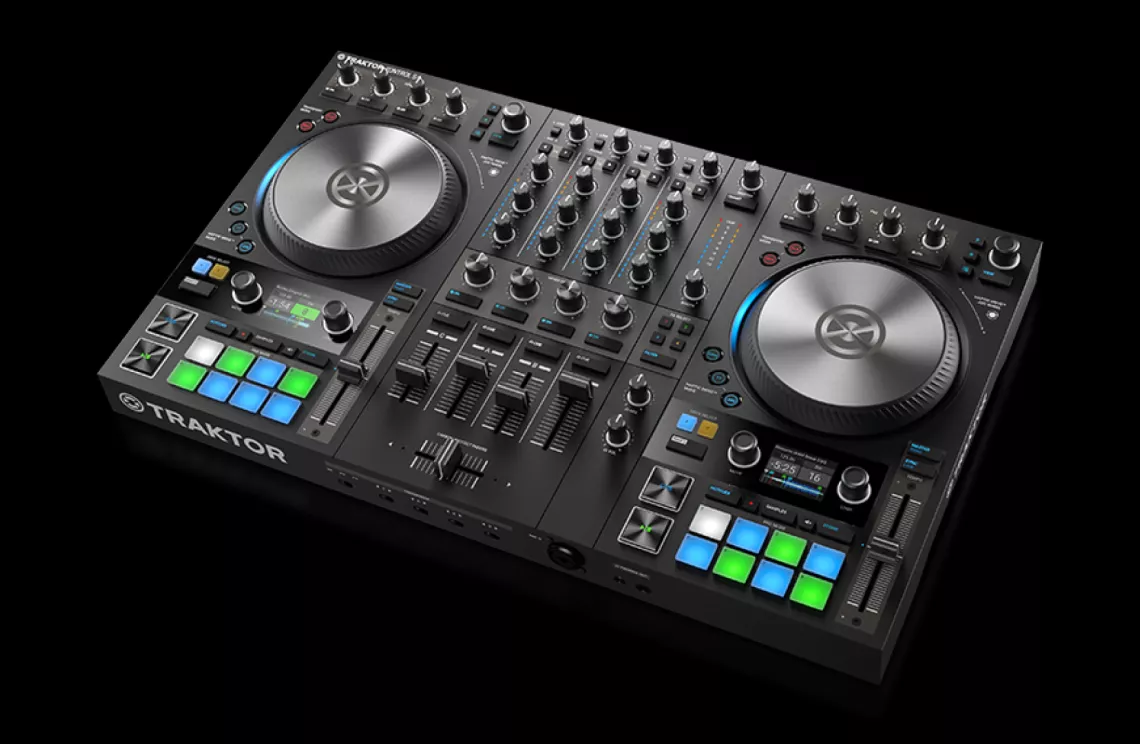
This article will provide solutions to assist you if the software knobs MAIN or CUE VOL do not move when you move the corresponding hardware knob on the following Traktor hardware devices.
- Traktor Kontrol S8
- Traktor Kontrol S5
- Traktor Kontrol S4
- Traktor Kontrol S3
- Traktor Kontrol S2
- Traktor Kontrol Z1
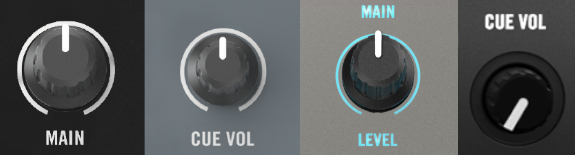
The knobs MAIN and CUE VOL on the Traktor Kontrol devices listed above are hardware controls that directly affect the audio output signal of the device itself. They are not associated with any controls in the software user interface of Traktor Pro or Traktor DJ for iOS.
Note: When using the S3 and S4 MK3, these controls become "greyed out" and bypassed in the software as they are equipped with a cue monitoring section built directly into the devices. The S2 MK3 cue mix can be controlled in the Traktor software but the volume is controlled via the device itself, therefore it will also be greyed out.
- When performing with these Traktor Kontrol devices, rely solely on the hardware control knobs to adjust the volume level.
- Additionally, make sure that both the MAIN and CUE VOL knobs in the Traktor software are turned up. We recommend the following settings:
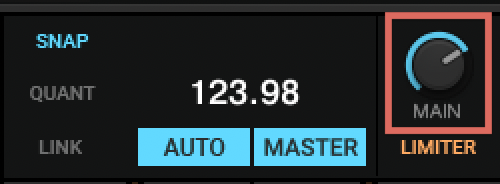
- MAIN: Set the software knob to around 0 dB, ensuring that no clipping occurs, and then control the output level directly with the hardware knob.
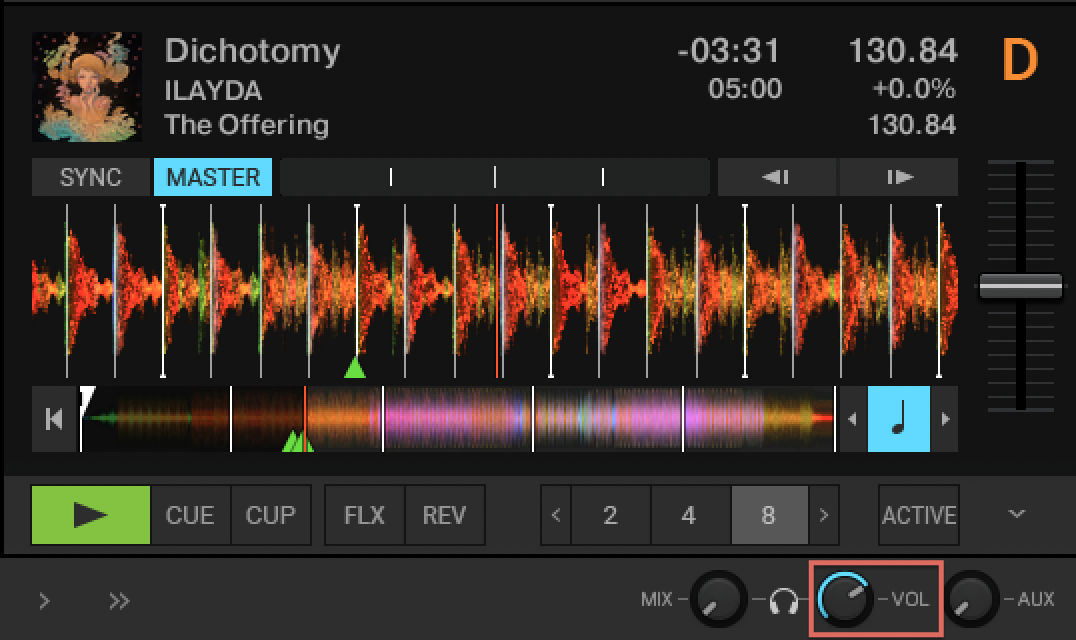
- CUE VOL: Set the software VOL knob to a position that allows you to hear the audio signal comfortably at a normal level via your headphones, then control the CUE VOL level directly on the hardware knob. If the VOL knob appears greyed out, as is the case when you connect the Traktor Kontrol S8 / Z2 hardware mixer / controllers, simply adjust the volume level directly on the hardware knob.
- MAIN: Set the software knob to around 0 dB, ensuring that no clipping occurs, and then control the output level directly with the hardware knob.
Note: If the control knobs MIX, VOL, and AUX are not displayed in the Traktor software interface, activate the option Crossfader in the Traktor Preferences > Mixer. 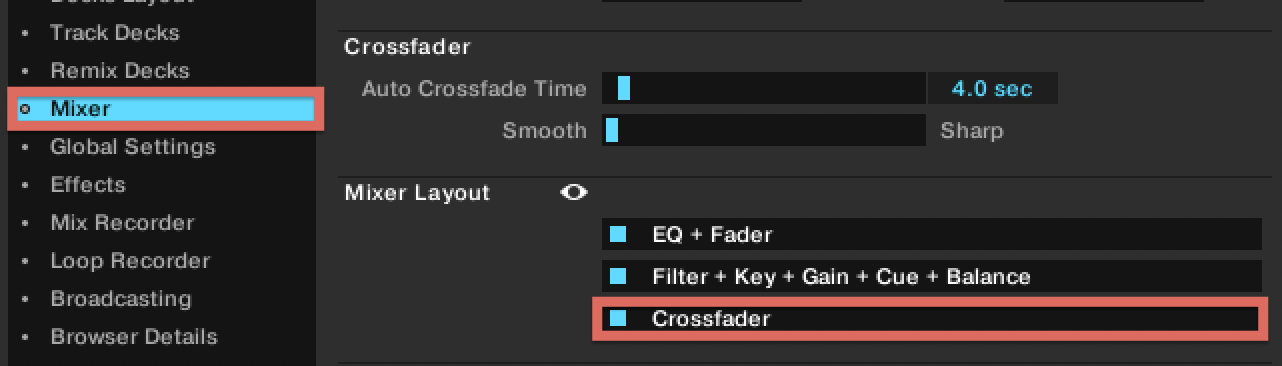
Was this article helpful?
That’s Great!
Thank you for your feedback
Sorry! We couldn't be helpful
Thank you for your feedback
Feedback sent
We appreciate your effort and will try to fix the article