How To Fix Latency Issues When Using Maschine As An AU Plug-in
When using Maschine as an Audio Unit (AU) plug-in in Logic Pro or Ableton Live, you may notice a significant delay when triggering pads on the controller.
This can occur if no MIDI signal has been sent to the host DAW; for example, when no MIDI keyboard or external MIDI device is connected, and the Maschine controller is the only hardware in use.
To resolve this, please use the Table of Contents below to find your device, and switch the Maschine controller to MIDI mode by using the following button combination displayed:
TABLE OF CONTENTS
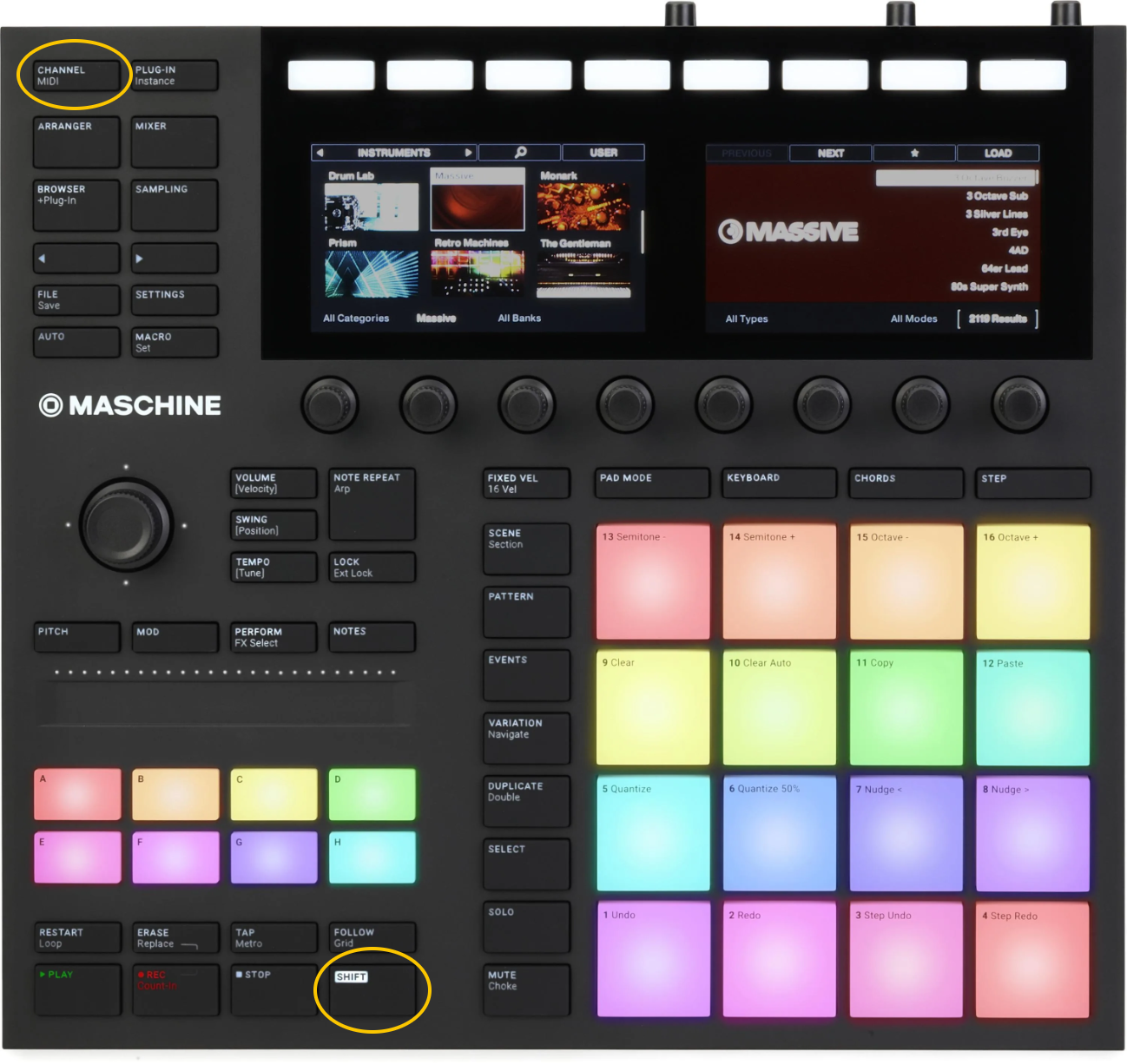
Maschine MK3
SHIFT + CHANNEL
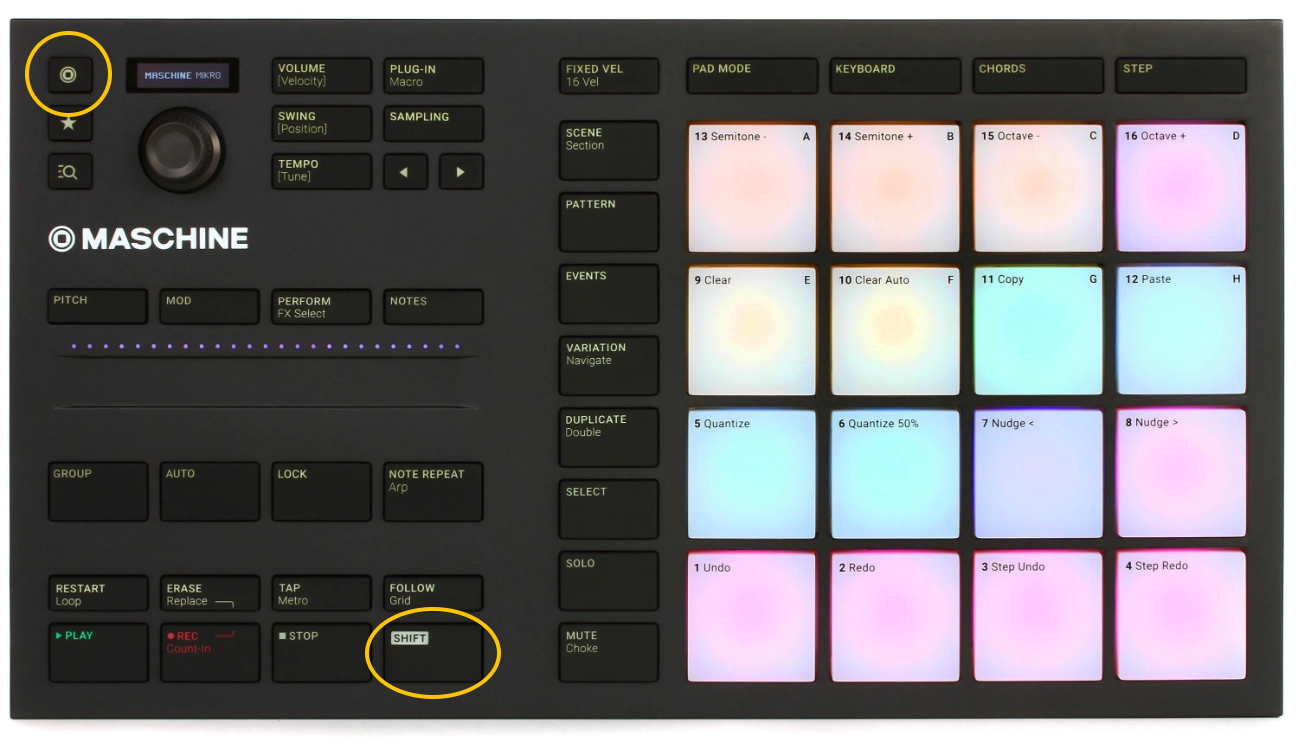
Maschine Mikro MK3
SHIFT + PROJECT
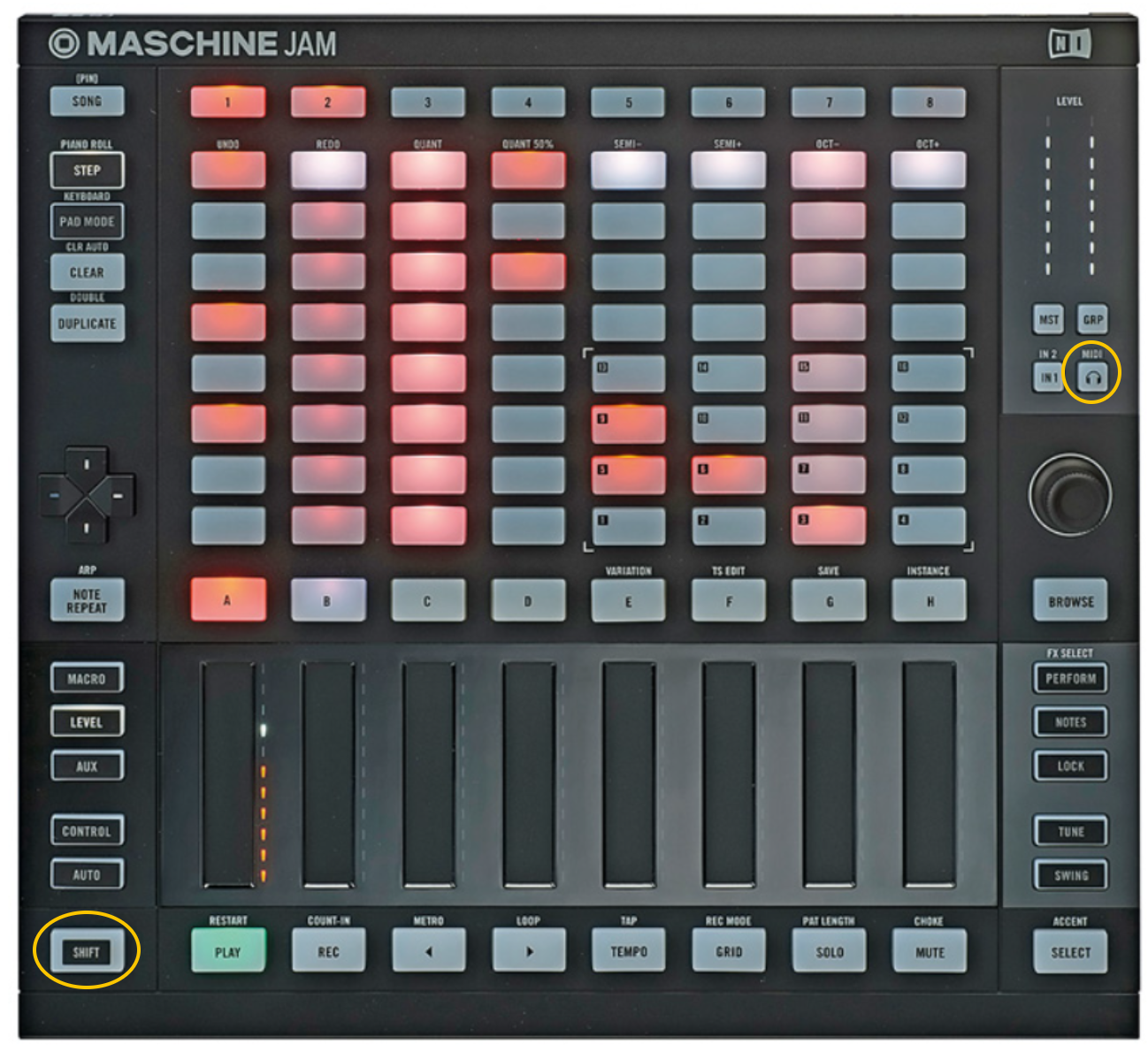
Maschine Jam
SHIFT + 'HEADPHONES'
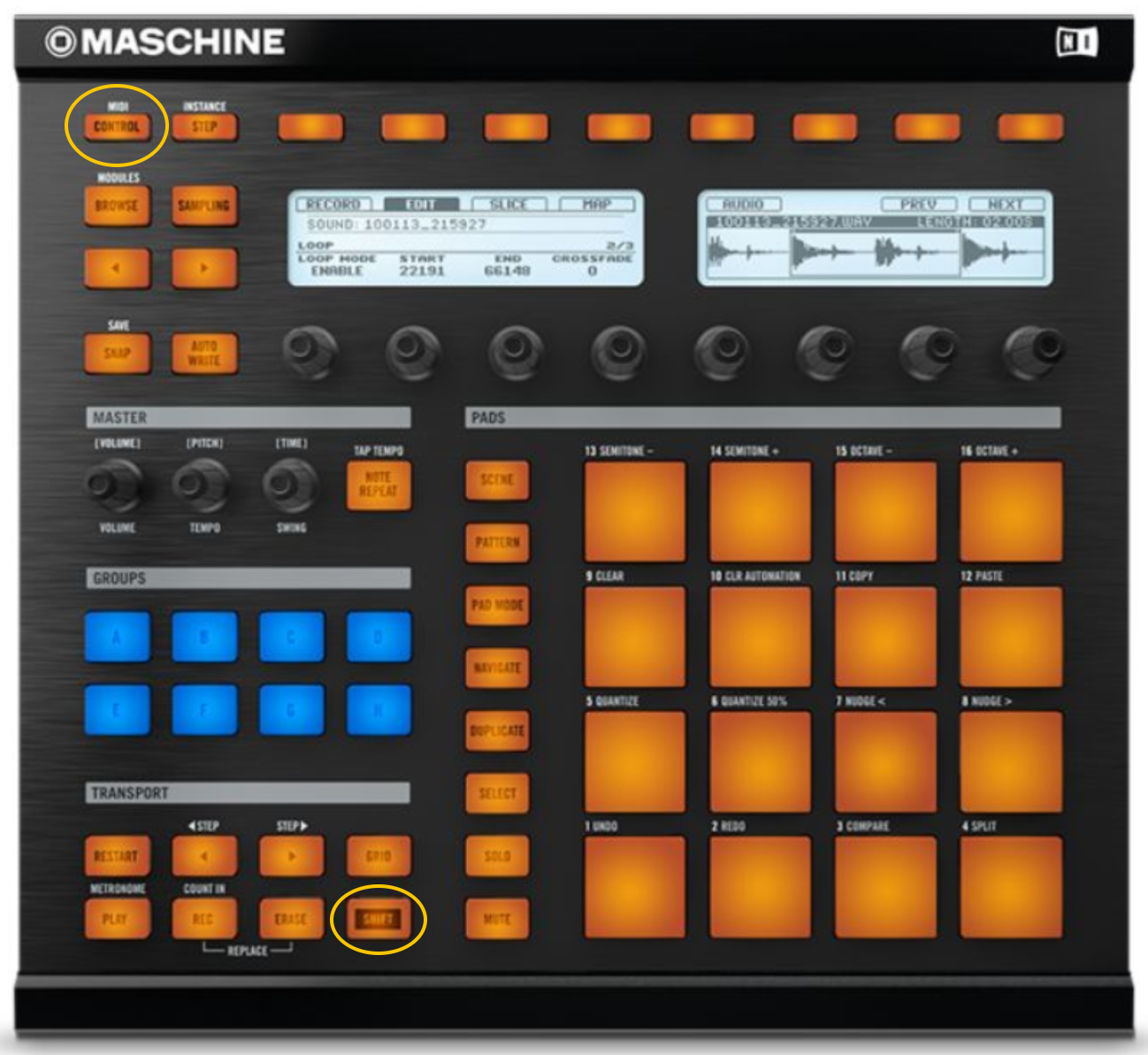
Older Maschine devices (e.g. Maschine MK1, MK2):
SHIFT + CONTROL
Then, send a MIDI message to the software by hitting a pad. Now you can switch back to normal Maschine mode by pressing the appropriate combination of buttons again.
If the problem occurs with a connected MIDI keyboard, simply press one note on the keyboard to solve the issue.
Was this article helpful?
That’s Great!
Thank you for your feedback
Sorry! We couldn't be helpful
Thank you for your feedback
Feedback sent
We appreciate your effort and will try to fix the article