You can activate and install your iZotope Plus / Pro subscription with Native Access.
Please follow these steps:
- Download and install Native Access and log in with your Native ID.
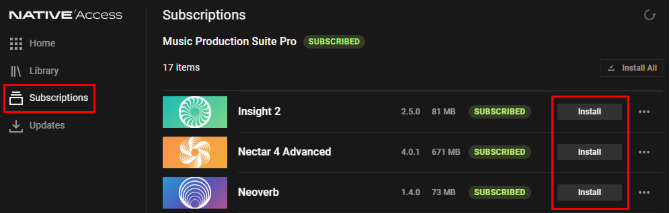
- Open the Subscriptions tab and install your products:
- Open your DAW and rescan for plug-ins to get started.
What happened to Product Portal?
As of April 30, 2025, Native Access is the new, centralized hub to manage products in your subscription.
I don't see my products in Native Access
- Make sure you're logged in with the correct Native ID (email address).
- Click the refresh button in the upper right of Native Access:

- Restart your computer.
Was this article helpful?
That’s Great!
Thank you for your feedback
Sorry! We couldn't be helpful
Thank you for your feedback
Feedback sent
We appreciate your effort and will try to fix the article